In order to process a Pension Opt In/Opt Out, firstly navigate to an employee’s record on EduPay.
On the left hand side of the employee record > click the Job Roles tab: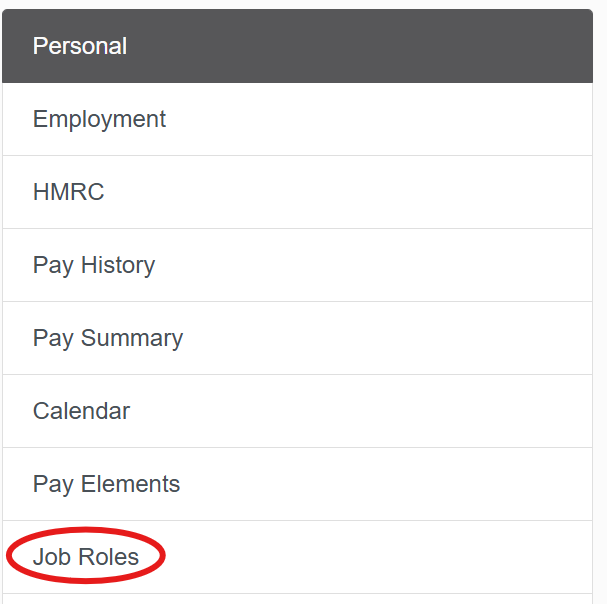
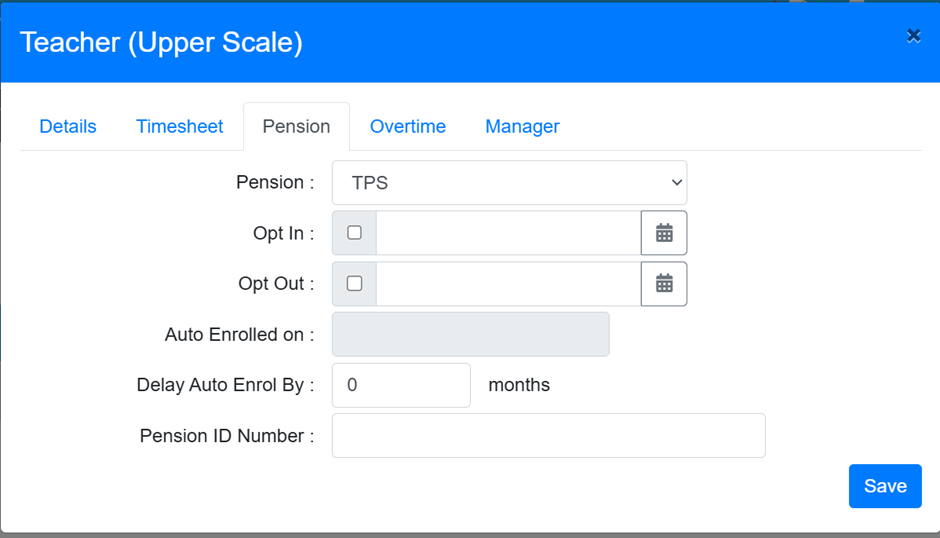
Click the Edit button next to the required Job Role, then click the Pension tab. From here you can then complete the required action and click Save to finalise:
Was this article helpful?
That’s Great!
Thank you for your feedback
Sorry! We couldn't be helpful
Thank you for your feedback
Feedback sent
We appreciate your effort and will try to fix the article