Now you have mapped your upload file to your BPS site through step 1, you can now begin the reconciling process.
To do this go into the school level of BPS.

You will then see a "payroll reconciliation" tab which holds a list of your employee scenarios inside.
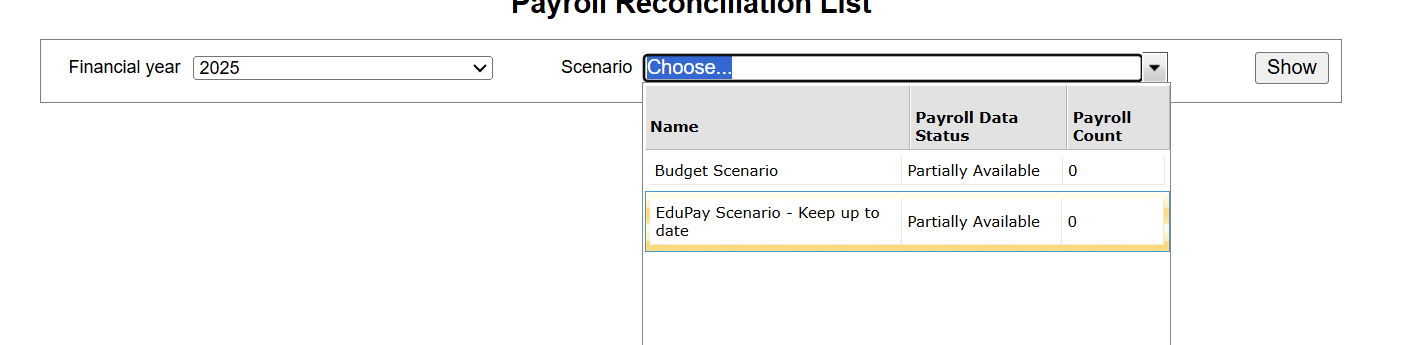
After selecting the scenario you wish to reconcile, press "show".
You can then enter the "period" (This will be the same month as you downloaded the detailed payroll summary in step 1)
Then click "select file" to attach the summary file, next you will need to click "generate summary comparison".
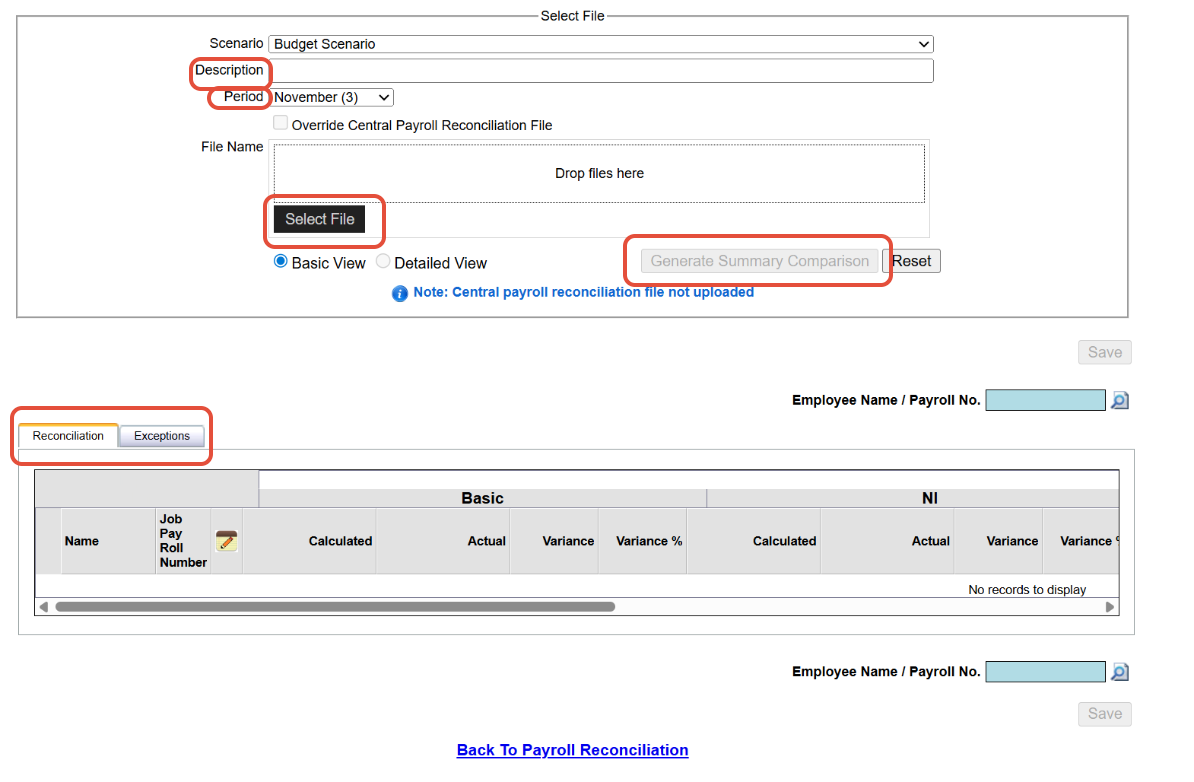
You will then see a list of reconciled staff and exceptions, both will have a figure in the calculated + actual with a % variance of the two.
The calculated is based on the employees contract in the BPS scenario whereas the actual is the figure paid which is exported on the "detailed summary report" downloaded in Edupay on step 1.
Common exceptions Errors
1) A common reason for an employee being in exceptions is that they may not have a payroll number on their profile.
Fix: to correct this go into the employees profile in BPS, ensure a payroll number is assigned like the below image.

2) Another reason could be that they are not in the employee scenario but are in the detailed payroll summary upload file.
Fix: Download the upload file on school level, if MAT is downloaded then this will include all staff across the trust who are not actually employed in the school you are reconciling.
3) If you have downloaded an October Detailed summary report in Edupay but are reconciling a different month in BPS then all staff will be showing in exceptions.
Fix: Ensure the correct detailed payroll summary is downloaded in Edupay.
If you come across any other issues that are not listed please email into: Edupay-support@tes.com
For further investigation.
Was this article helpful?
That’s Great!
Thank you for your feedback
Sorry! We couldn't be helpful
Thank you for your feedback
Feedback sent
We appreciate your effort and will try to fix the article