To Update the Pay Scale values in BPS the first step is to login to the Central side of BPS.
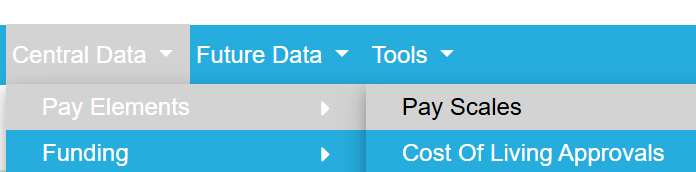
Then navigate to Central data --> Pay Elements --> Pay Scales.
From the Pay Scales tab you will see a drop down list, choose the Pay Scales you wish to amend.
You can amend a point individually by clicking edit on each point OR a quicker way is to select Bulk Entry at the bottom of the page.
Bulk Entry opens up each point at once to manually overtype, or you can add a % to all points by clicking Adjustment at the bottom of the page. (Bulk entry --> Adjustment)
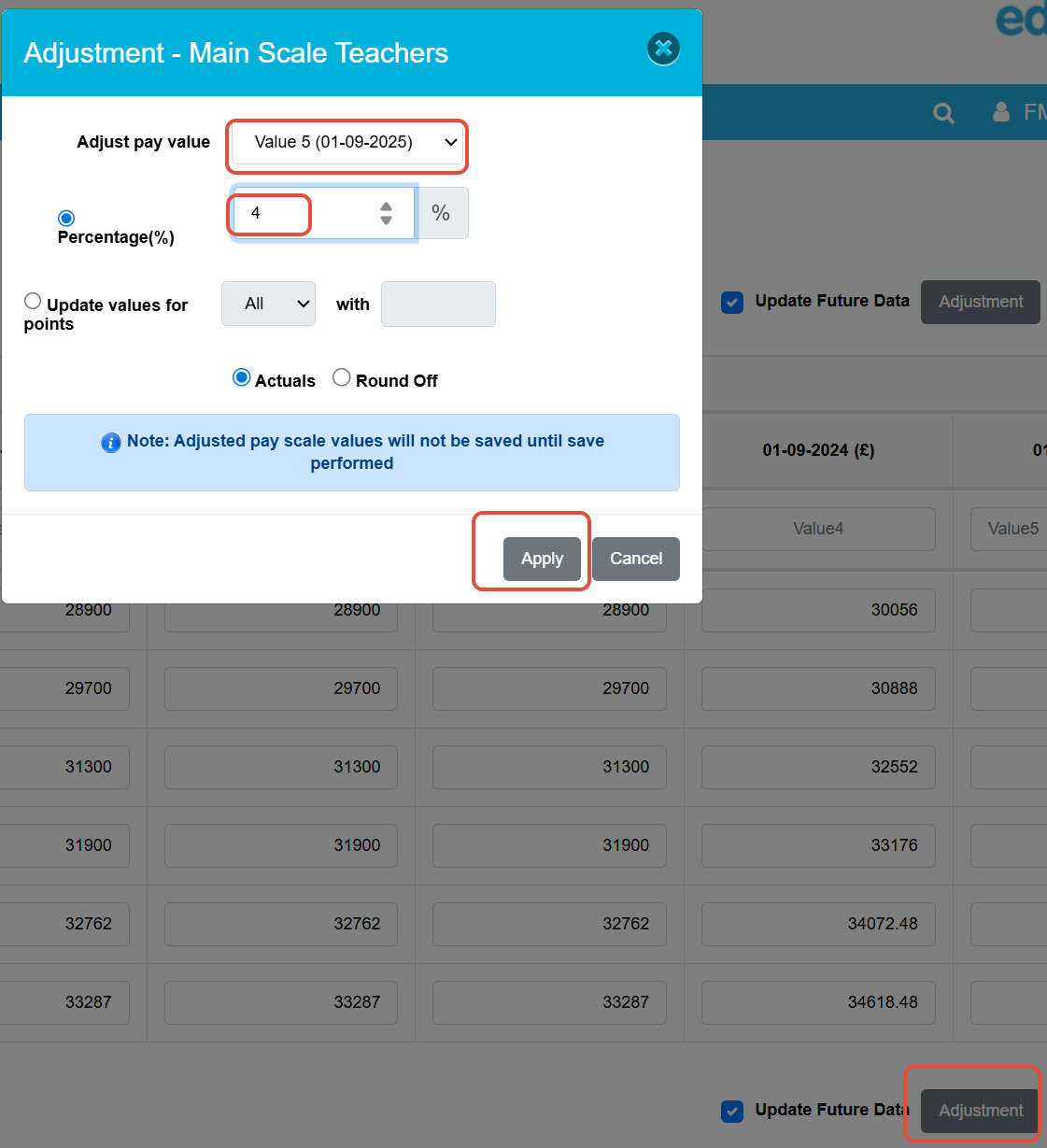
The percentage you enter will add on to the previous year but into the current year box.
For example: If we add 4% to 2025 Pay Scales the system will look at the 2024 values add 4% then put those new figures in the 2025 column.
Was this article helpful?
That’s Great!
Thank you for your feedback
Sorry! We couldn't be helpful
Thank you for your feedback
Feedback sent
We appreciate your effort and will try to fix the article