The Single Central Record (SCR) is statutory required safeguarding record that serves as a master log of all recruitment checks to demonstrate safeguarding compliance and provides evidence for Oftsted/internal inspections.
At TES, innovation is at the forefront of our mission statements so we are actively improving how the SCR works to better improve school processes.
Upgrades to the SCR
Childcare Disqualification check
We have introduced a new 'Childcare Disqualification Check’ to our check options;
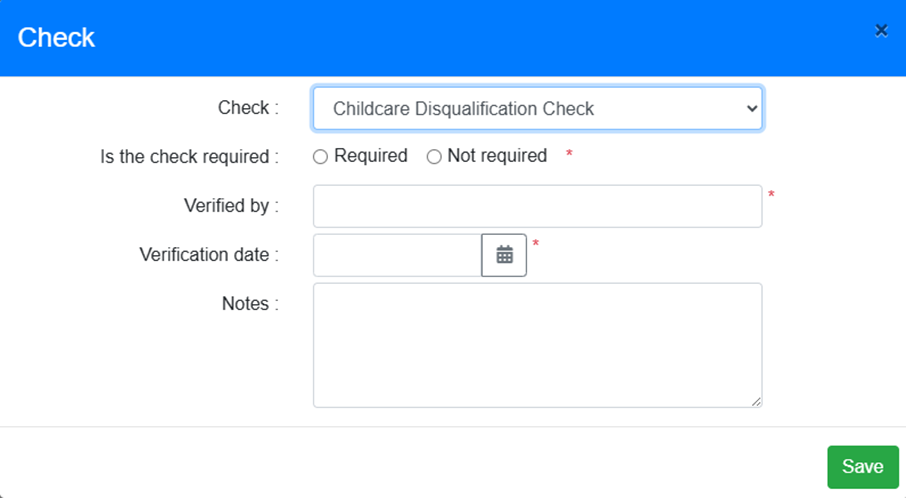
The new ‘Childcare Disqualification Check’ has been included as an option to be added to the SCR Report grid, under the Fields menu:
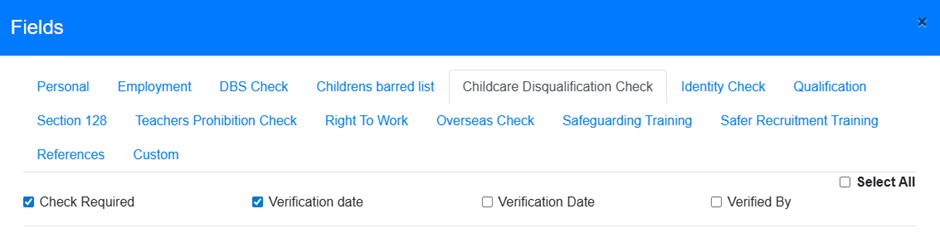
Overseas Check
A new ‘Overseas Check’ has been added to the list of Check options.
This replaces the original Overseas check tick box, which has been removed from the Employee > Recruitment screen
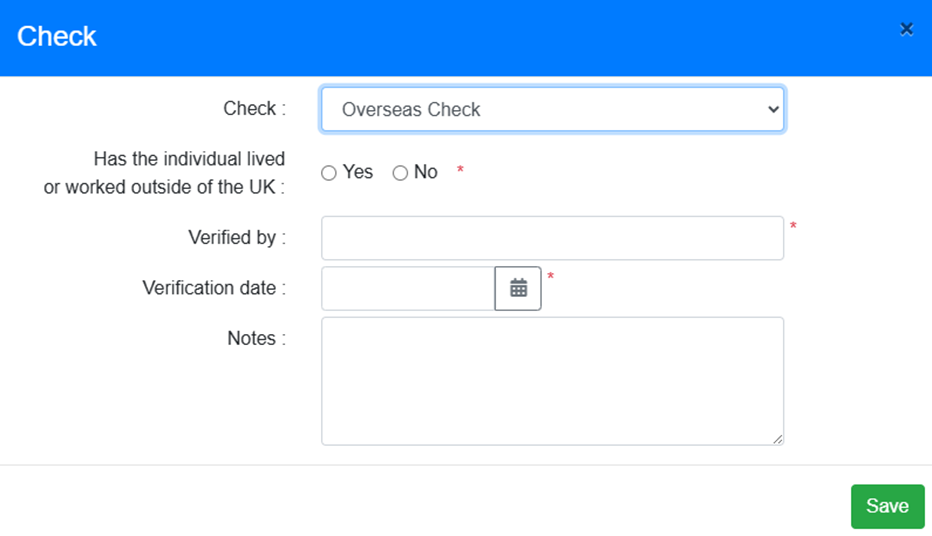
If an Employee had Yes or No selected in the original Overseas check, this selection will be transferred to the ‘Has the individual lived or worked outside of the UK’ field in the new Check when the new EduPay deployment is released to live.
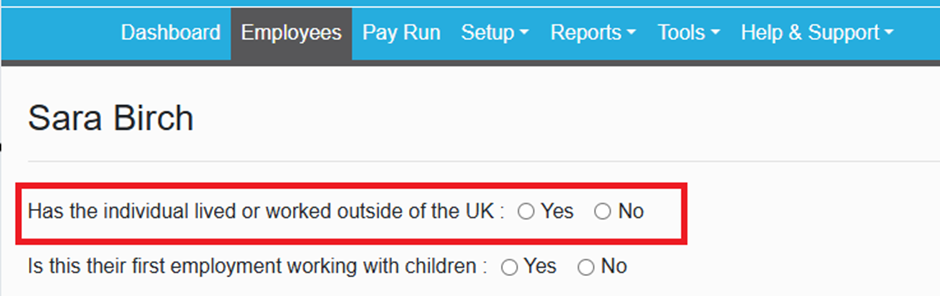
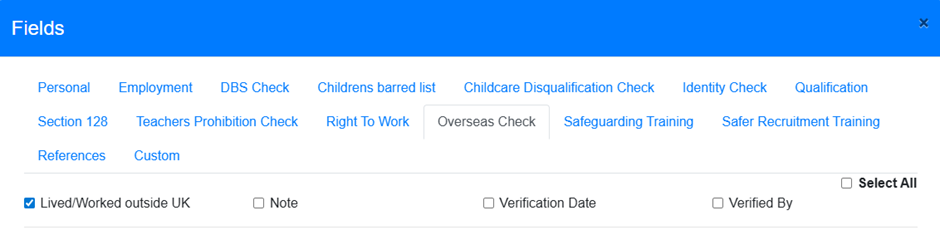 The new ‘Overseas Check’ has been included as an option to add to the SCR Report grid, under the Fields menu:
Identity and Right to work Checks
An ‘Other – please specify’ option has been added to the ‘Type’ field for the ‘Identity Check’ and ‘Right to work’ Checks
- When selected, a mandatory free text field will be added to the modal:
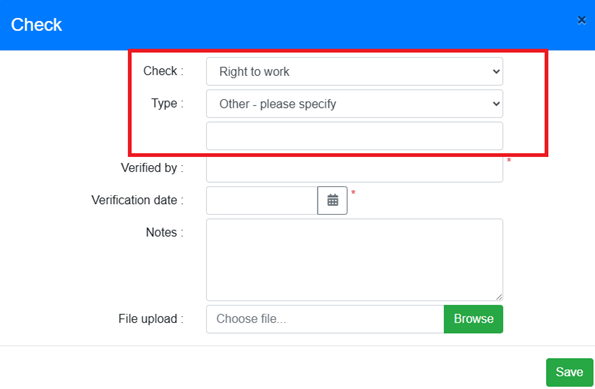
The ‘Verified by’ and ‘Verification date’ fields in the new modal are Mandatory.
If a user edits the new Overseas Check modal they will be required to complete these fields before they can Save.
Section 28 Check
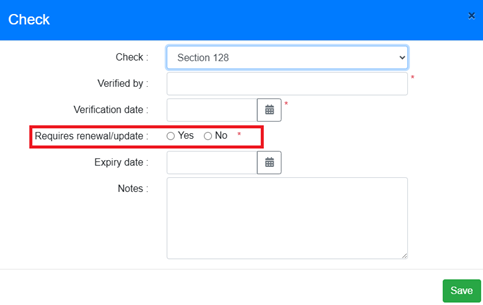
A new ‘Requires Renewal’ field has been added to ‘Section 128’ Check
Changes to the ‘Qualification’ modal
The following changes are applied whether the user accesses the Qualification modal from the Employee > Recruitment tab, or by double clicking in the SCR Report grid.
A new ‘Qualification Level’ field has been added -The dropdown options are ‘Primary’ and ‘Secondary'.
The ‘Qualification Subject’ and ‘Qualification Additional Subject’ fields have been changed from dropdown lists to free text fields.
The following label changes have been made:
- ‘Qualification Main Subject’ label changed to ‘Qualification Subject’
- ‘Qualification Addition Subject’ label changed to ‘Qualification Additional Subject’
- ‘Qualification Date’ label changed to ‘Teaching Qualification Date’
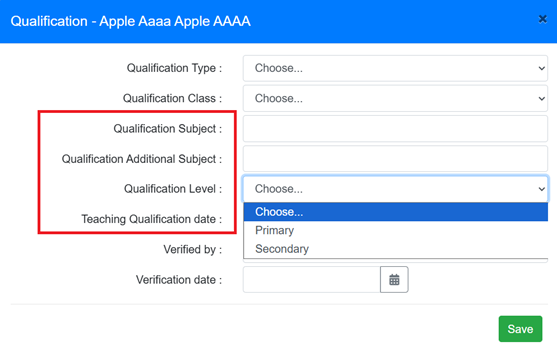
The text entered into the free text fields is then displayed in the Employee > Recruitment tab:

This can then be added to the SCR Report:

Other Related Changes
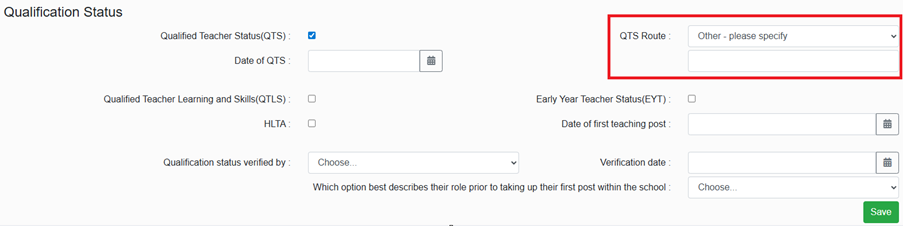
An ‘Other – please specify’ option has been added to the ‘QTS Route’ field in the ‘Qualification Status’ section of the Recruitment screen
- When selected, a mandatory free text field will be added to the screen
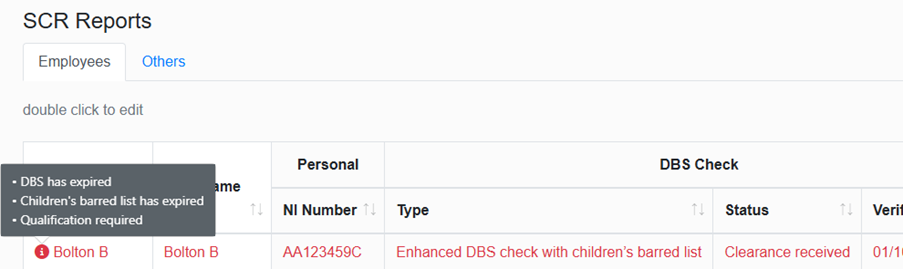
The tool tip icon that is displayed in the SCR Report grid where an Employee has missing information has been moved. This was in a column at the end of the grid, but is now displayed next to the Employee First Name
- Information for this tool tip is now accessed by hovering over the icon, rather than the previous process of clicking on it.
Was this article helpful?
That’s Great!
Thank you for your feedback
Sorry! We couldn't be helpful
Thank you for your feedback
Feedback sent
We appreciate your effort and will try to fix the article