New functionality is included in the EduPay 9.12 release (November 2026) to give users the option of linking one Job Role to another in EduPay. This only affects Pension reports.
This functionality has been added to address an issue where employees change roles in BPS but don’t have a material change in Job Roles. An example of this is an employee who moves from Teacher Main Scale to Teacher Upper Scale. This results in a different Job Role reference being used on pension submissions.
This functionality is available to any users with access to the Employee > Job Roles tab.
New columns added
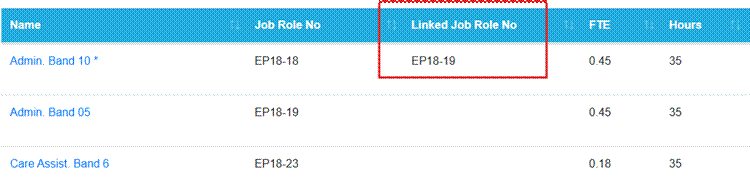
Two new columns have been added to the Employee > Job Roles tab:

- Job Role No shows the actual Job Role number of the role
- Linked Job Role No shows the Job Role number that will be used for that role on the TPS and LGPS Pension reports
Linked Job Role dropdown
In the Employee > Job Role screen, select edit against the role you want to link. Two new fields have been added to the subsequent screen:
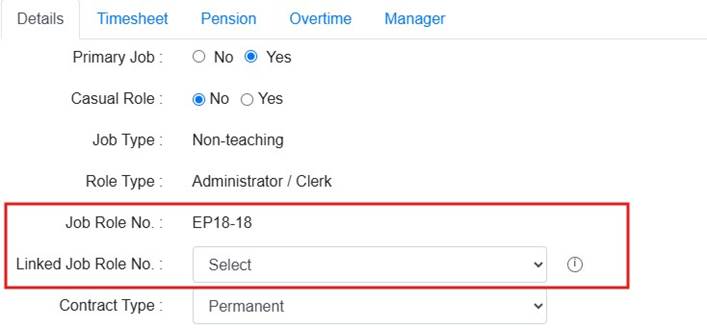
- Job Role No shows the actual Job Role number of the role. This is a read-only field
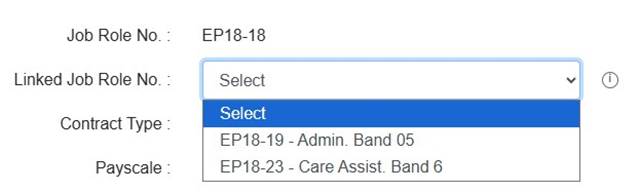
- Linked Job Role No is a dropdown which shows all Job Roles currently or previously assigned to that employee:
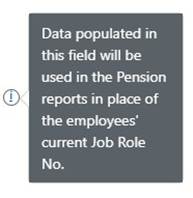
Some more information is given in the tool tip:
The user can select the relevant Linked Job Role and Save. This will then appear against the role on the previous screen:
Pension reports
Linked Job Role No information is fed into EduPay Pension reports.
MCR report
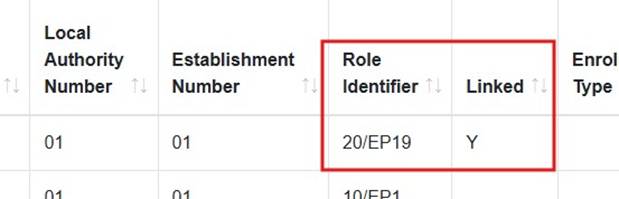
The data used in the Role Identifier field is based on the following hierarchy:
- Pension Reference Number field in the Job Role > Pension tab. If blank:
- Linked Job Role No. If blank:
- Actual Linked Job Role No
A new Linked column has been added to this report. This will enable the user to identify whether the information shown in the Role Identifier field is a Linked Job Role:
iConnect report (LGPS)
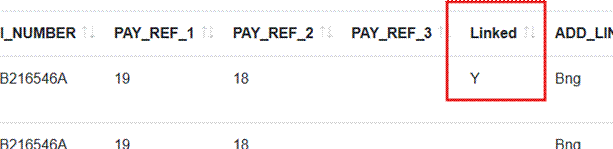
The position and format of the Job Role No in the iConnect is configurable but will usually be in the PAY_REF_1, 2 or 3 fields. This field will display either the Linked Job Role No (if there is one), or the actual Job Role No. A new Linked column has been added to this report to indicate whether the information shown relates to a Linked Job Role No:
Employee Pension report
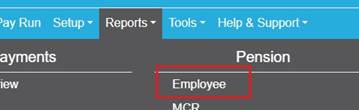
The Linked column has also been added to the Employee Pension report, this one:
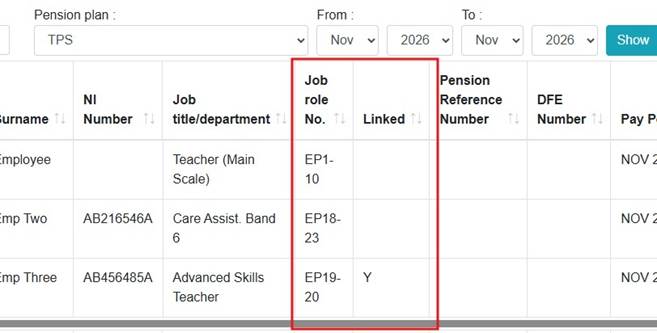
The Job role No field in this report will display either the Linked Job Role No (if there is one), or the actual Job Role No. The Linked column is also added to this report to indicate which reference is being shown:
Was this article helpful?
That’s Great!
Thank you for your feedback
Sorry! We couldn't be helpful
Thank you for your feedback
Feedback sent
We appreciate your effort and will try to fix the article