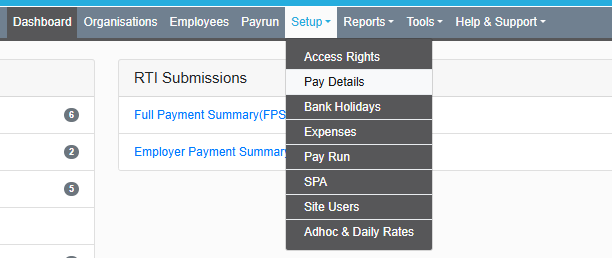
The first step to adding a KIT day pay element is to navigate to MAT level (grey bar), then from here go to setup --> pay details.
On the top right hand corner there is a box which allows you to "Add manual section" and fill in the details here.
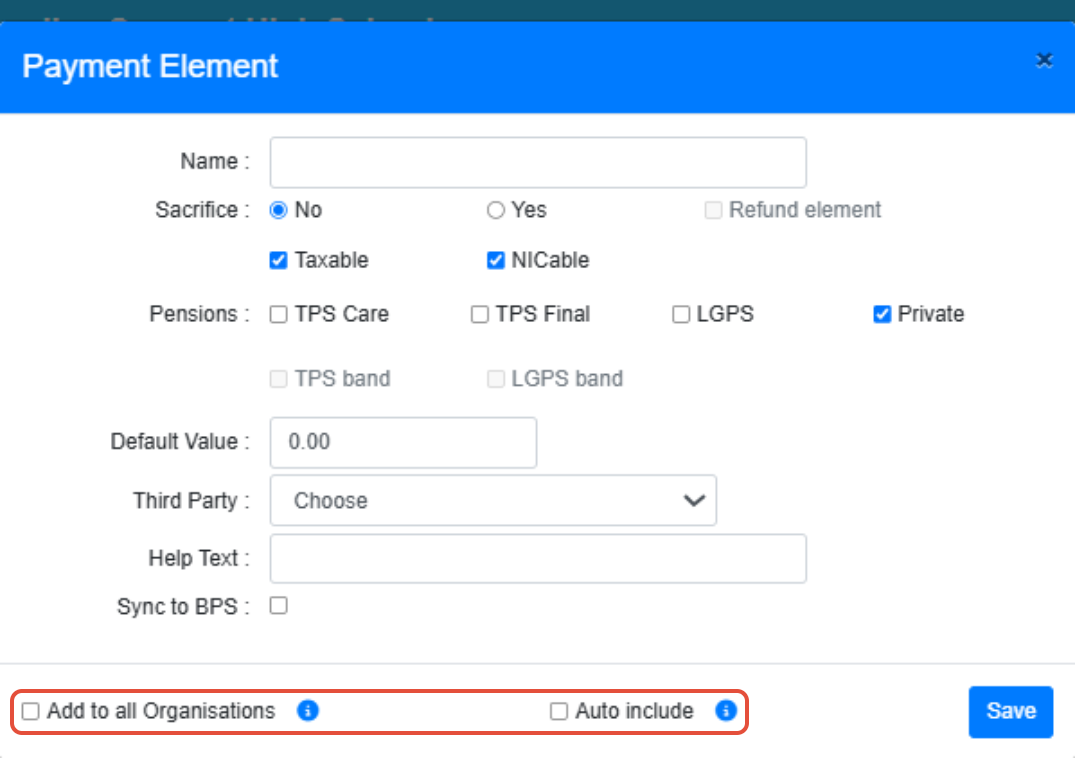
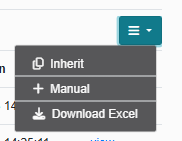 After clicking "Manual" you should see a pop up box like below where you can simply type in the name of the element which could simply be "KIT" or "keeping in touch" - whatever will be more clear for your employees on the payslip.
(I recommend to click "include in all organisations" and "auto include")
Once this is created, you can go to the employees’ profile and navigate to the pay elements tab.
On the income section select the big green "Add income" button then on the list you will be able to select KIT day element you just created, from there you can add the relevant figure for the KIT days.
If the element has already been created then you may find it in the "show all" section of the income side of pay elements rather than "add income".
Was this article helpful?
That’s Great!
Thank you for your feedback
Sorry! We couldn't be helpful
Thank you for your feedback
Feedback sent
We appreciate your effort and will try to fix the article