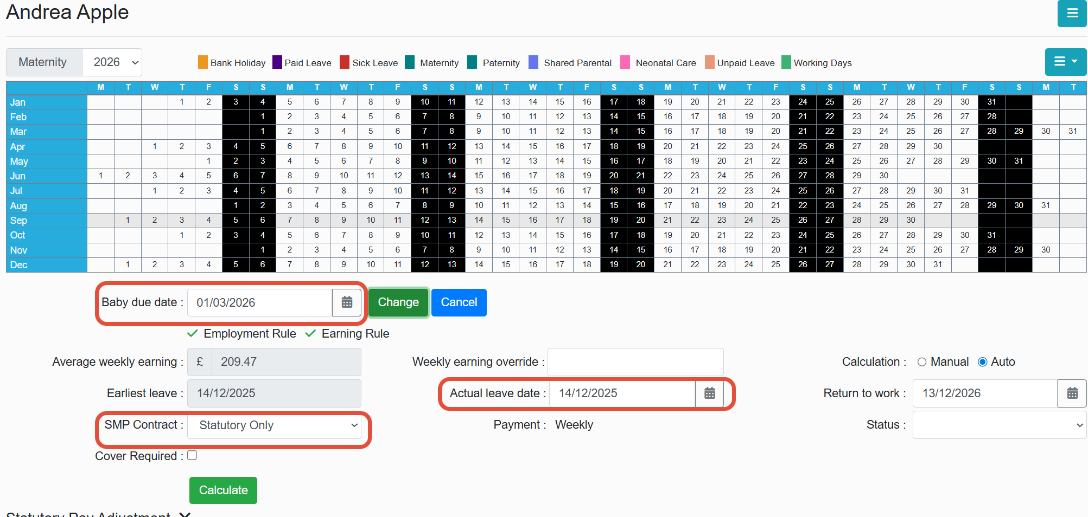
Firstly navigate to the calendar in the employees profile and select Maternity at the top of the page.

Then enter the baby due date into the field just below the calendar --> press check.
The next step is to select the SMP contract, enter the leave date and a return date (return date will populate 52 weeks forward from the leave date but this can be amended)
When happy select calculate and save.
Was this article helpful?
That’s Great!
Thank you for your feedback
Sorry! We couldn't be helpful
Thank you for your feedback
Feedback sent
We appreciate your effort and will try to fix the article