To get your employees set up on the system, you will need to navigate to the "email confirmation" section under Tools on School Level (indicated by the blue tool bar) to send out emails prompting them to get set-up with the system:

You can either filter and select specific individuals to send confirmation emails to, or, you can use the bulk tick box feature to select all staff:

Once you have selected your staff, you need to hit the 'Send Confirmation Email' button
Your employees will receive emails (to the email address they are listed with) welcoming them to EduPay and asking them to log-in to their account:
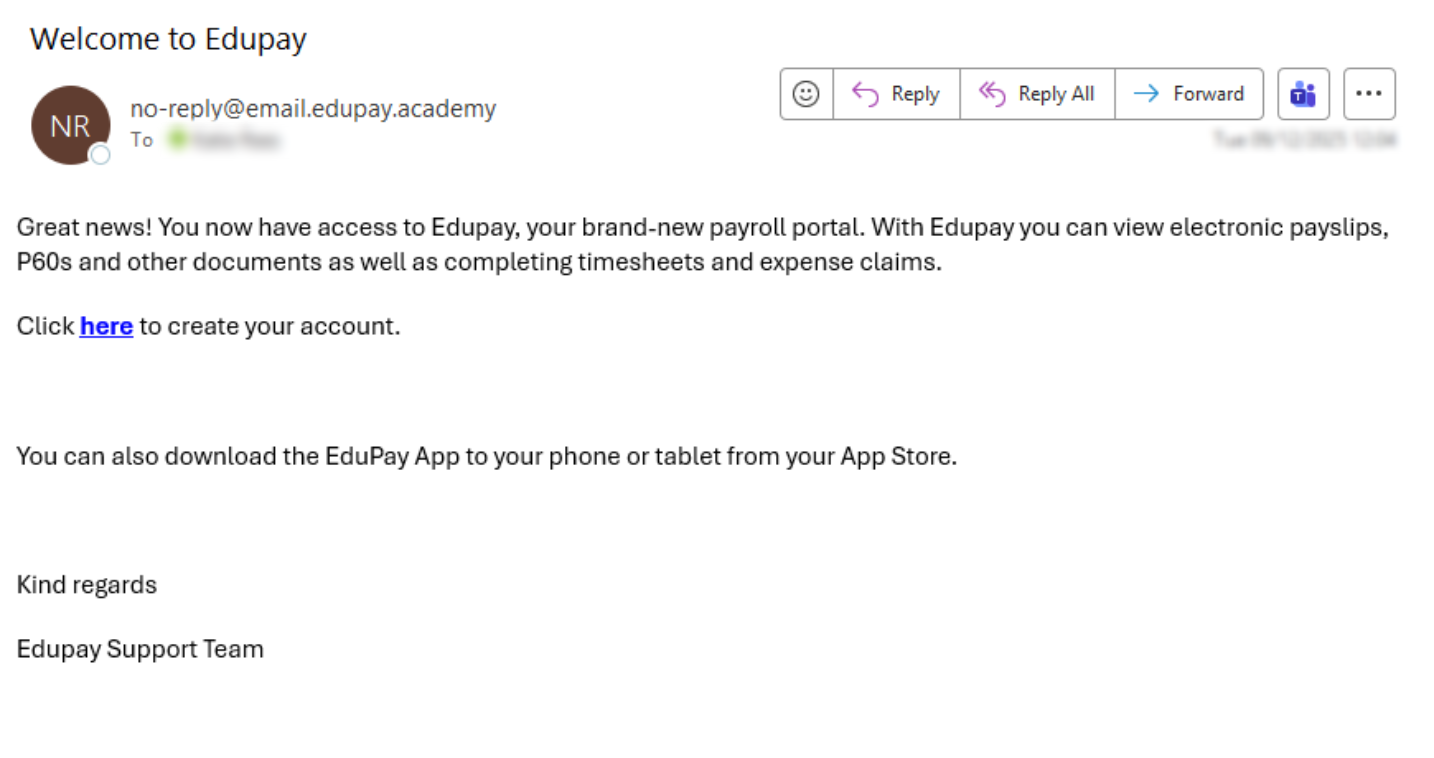
NOTE: These email confirmations do expire if not used within 7 days, and you will need to repeat this process should anyone fail to log-in during that window.
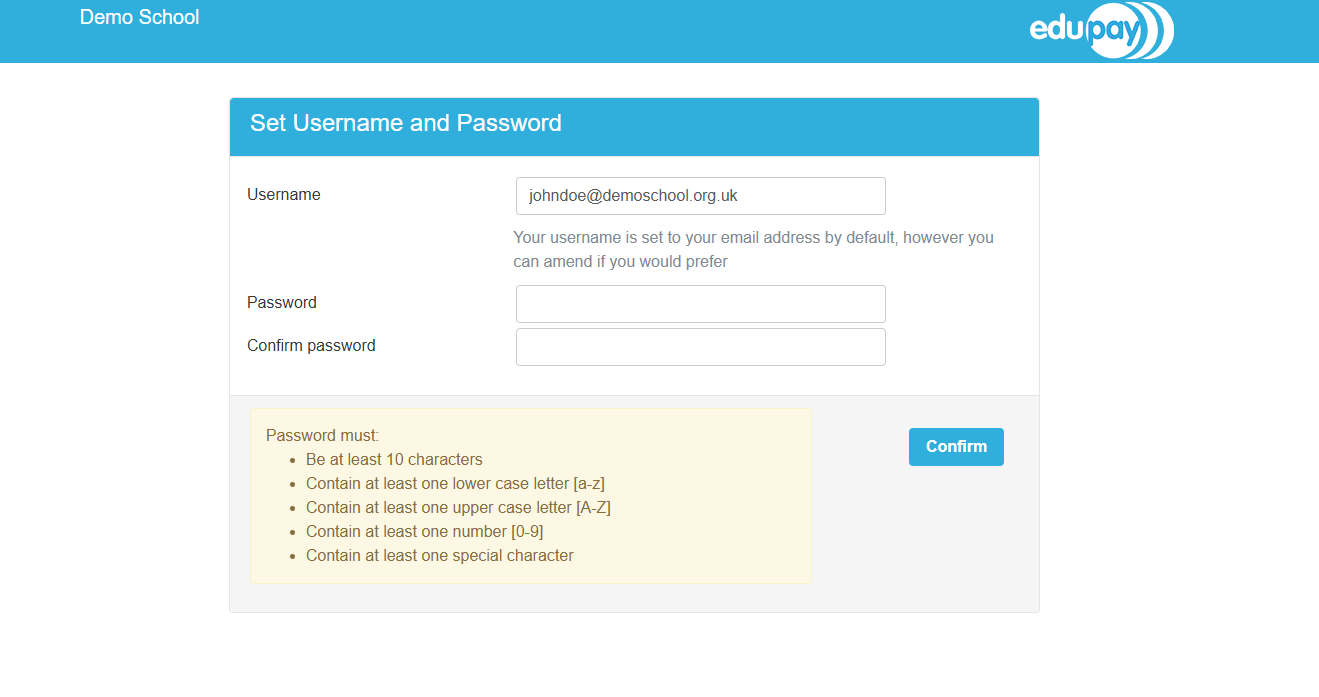
Employees will then have the option to change their username (this is always their original email address by default), as well as set up their secure password to confirm their accounts:
Was this article helpful?
That’s Great!
Thank you for your feedback
Sorry! We couldn't be helpful
Thank you for your feedback
Feedback sent
We appreciate your effort and will try to fix the article